· Shah Zangeneh · Hardware · 9 min read
Building the OffenHerz Frame — an Open-Source LoveBox
The commercial LoveBox starts in black and white and upsells from there. I built an open-source version on a Pimoroni Presto with full color, Telegram-driven messages, RGB LEDs, touch replies, and no subscription required.
The JoyUs LoveBox is a product you’ve probably seen advertised if the algorithm has figured out you’re a geek in love. Small wooden box, spinning heart on the front, your partner sends a message through an app, the heart spins, you open the lid to read it. The concept is genuinely nice. But the entry-level model is black and white only — no color photos, no GIFs, no stickers. Those are on the pricier tiers, and some features sit behind a subscription on top of that.
I saw the ad, kept scrolling, and filed it away as I could build something like that. A few weeks later I was placing an order on Adafruit for an unrelated project and spotted the Pimoroni Presto on their New Products page — a 4” 480×480 color touchscreen, seven rear RGB LEDs, Wi-Fi, and MicroPython out of the box. It felt like the hardware had found the idea. I bought it.
What I ended up building is the OffenHerz Frame (offenherzig is German for open-hearted, and the double meaning with open-source is very much intentional). This is a build log of how it came together.
What it does
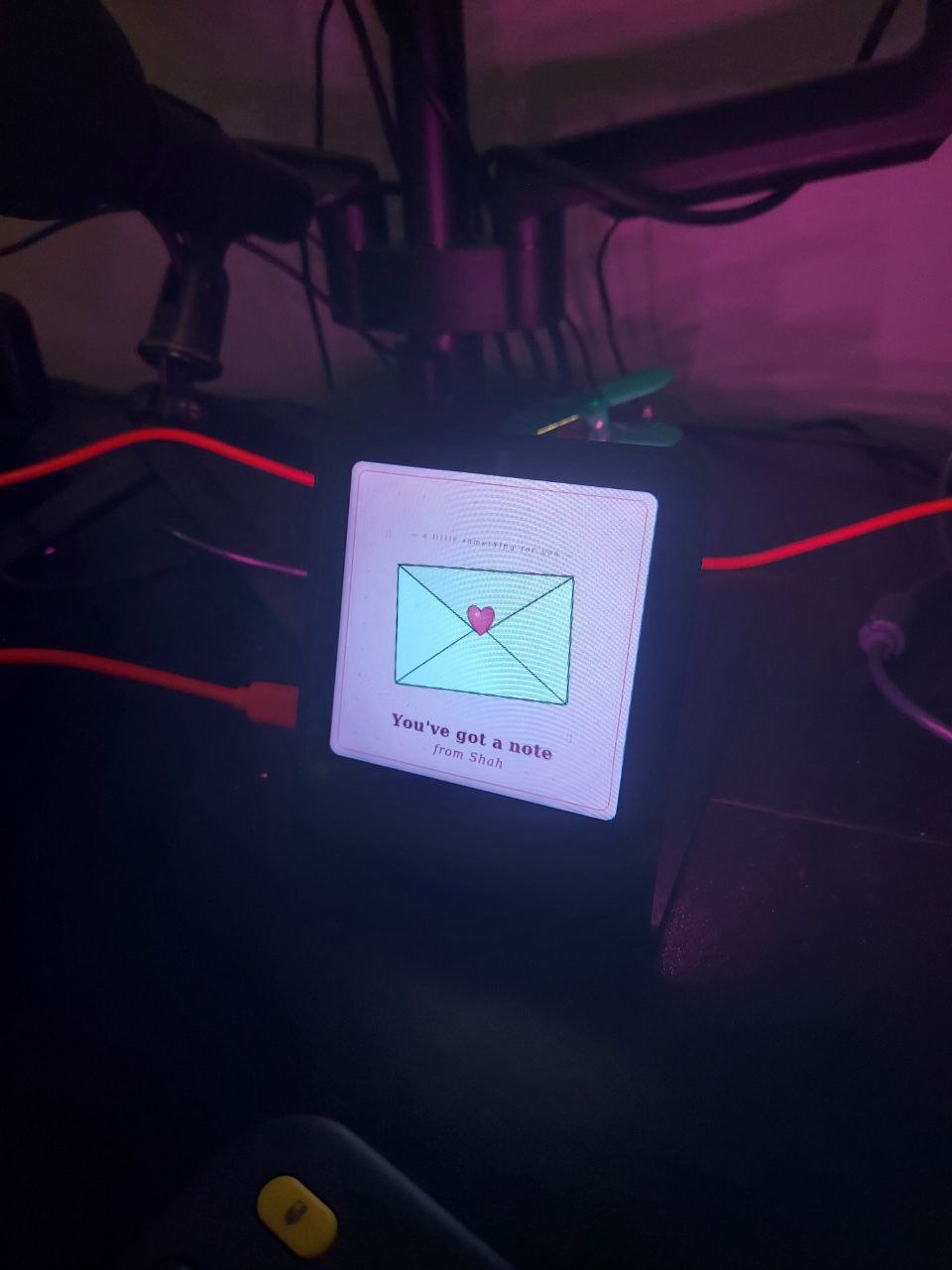
The device sits on Beth’s desk at work. Idle, it cycles through a slideshow of photos from an SD card — she can swipe left or right to navigate manually. When I send her a message through a private Telegram bot, the rear LEDs start breathing and the screen switches to an arrival card.
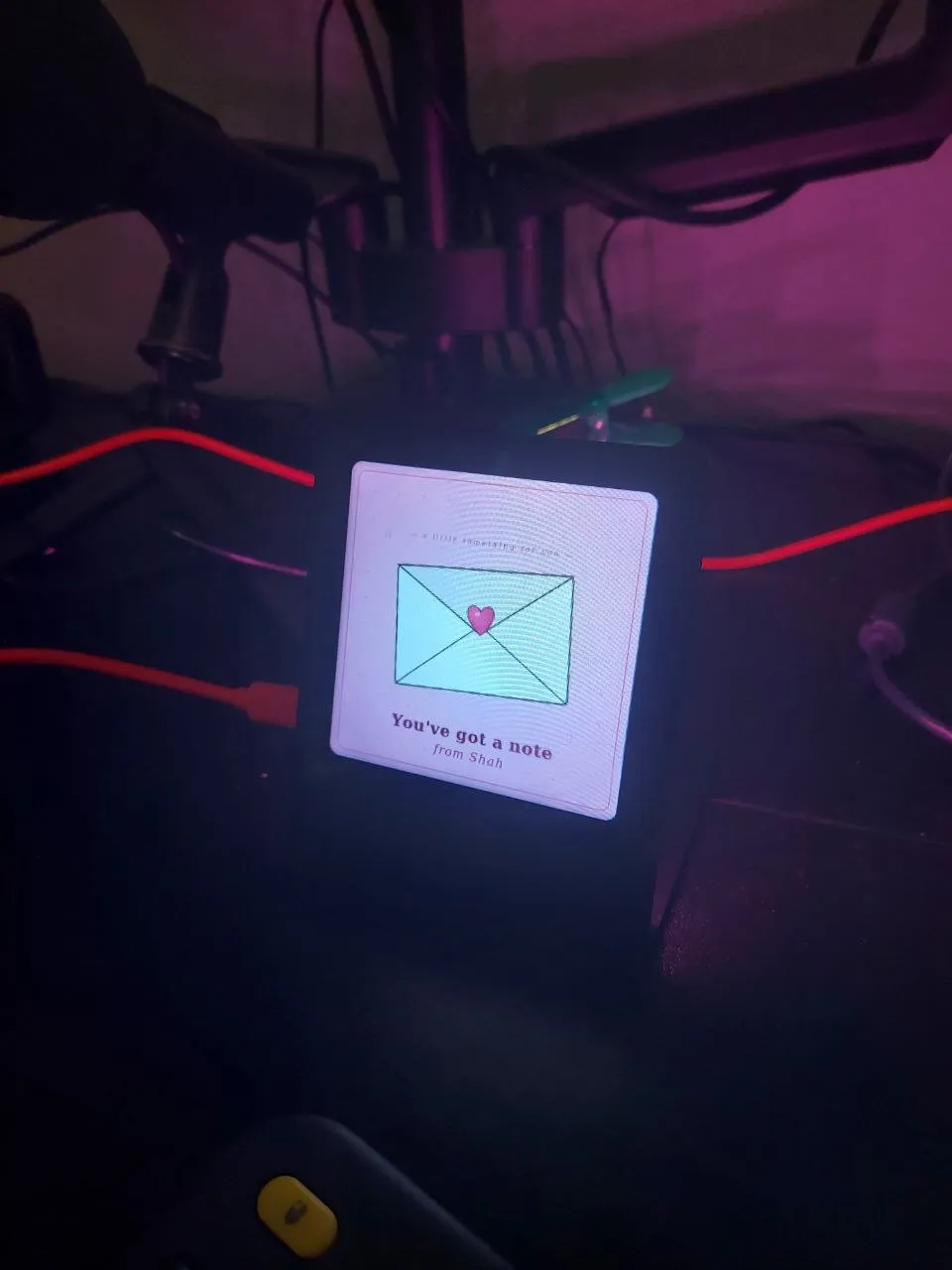
She taps to reveal the message. It could be text, a photo, or a GIF. She reads it, then taps one of three reply buttons at the bottom of the screen.
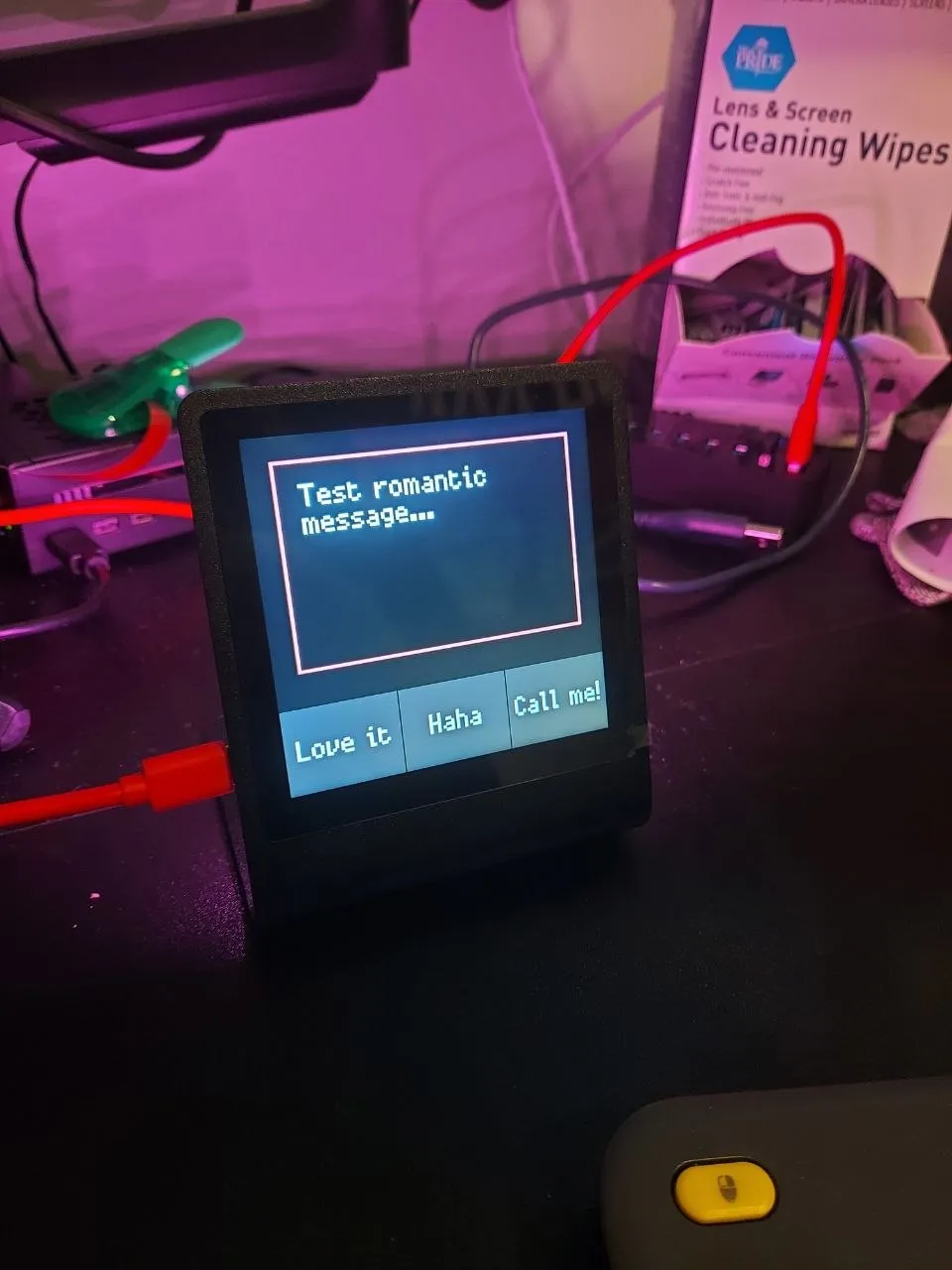
Her reply — Love it, Haha, or Call me! — comes back to me as a Telegram message. A “Seen ✓” is sent automatically when she first taps the arrival screen. The device returns to the slideshow until the next message.
The full message flow as a state machine:
IDLE (slideshow)
  → [new message in queue]
  → ARRIVED (LED pulse + arrival card)
  → [tap]
  → REVEALING (500ms fade)
  → READING (message + reply buttons, 2-min timeout)
  → IDLE
The hardware
The Pimoroni Presto is built on the RP2350 — Raspberry Pi’s second-gen microcontroller, dual Arm Cortex-M33 cores, 8 MB of PSRAM, CYW43 Wi-Fi, and an SD card slot. The screen is a 480×480 IPS capacitive touch panel. The seven rear LEDs are individually addressable RGB.
Every part of that spec list ended up being load-bearing. The screen handles both the slideshow and the touch UI. The LEDs do the ambient glow and arrival pulse. The Wi-Fi runs the Telegram polling. The SD card holds the photos and persisted settings. Nothing is sitting idle.
Software architecture
Everything runs as cooperative asyncio tasks on one core — four of them:
app_loop— 50ms state machine ticktelegram.polling_loop— getUpdates every 30 secondsled_manager.led_loop— breathing animationslideshow.slideshow_task— photo rotation and swipe handling
Running Telegram on the second core via _thread was the original plan. I dropped it. The HTTP requests block for 2–5 seconds every 30 seconds — well within what cooperative yielding can absorb, and it avoids any shared-memory coordination entirely.
The Telegram integration talks to the API over raw SSL sockets rather than a library. The reason is control: 15-second timeouts on API calls, 60-second timeouts on downloads, and streaming photo data to the SD card in 4 KB chunks. A response-buffering library would load an entire photo into the 8 MB PSRAM — workable until it isn’t. Streaming keeps memory flat regardless of photo size.
The JPEG problem
The Presto’s jpegdec library only decodes baseline JPEG. That sounds like a minor constraint until you send your first photo from Instagram and the screen goes blank with "could not read file/buffer" in the logs.
Instagram, WhatsApp, and Facebook all default to progressive JPEG — a format that builds up in multiple passes for faster perceived load on slow connections. jpegdec doesn’t support it. Telegram compounds this: photos at ≥480px resolution are served as progressive JPEG. Request a ≤320px variant and you get baseline. So the device always caps photo requests at the largest variant whose shortest side is under 320 pixels — good enough quality on a 480×480 screen.
GIFs are a different problem. Telegram converts all animations to MP4, and there’s no MicroPython MP4 decoder for the Presto. For now the device downloads the JPEG thumbnail Telegram generates for every animation and overlays a GIF badge — not real animation, but enough to give the message visual context. Solving it properly would require a decoder that doesn’t exist for this platform yet.
Presto Photo Processor
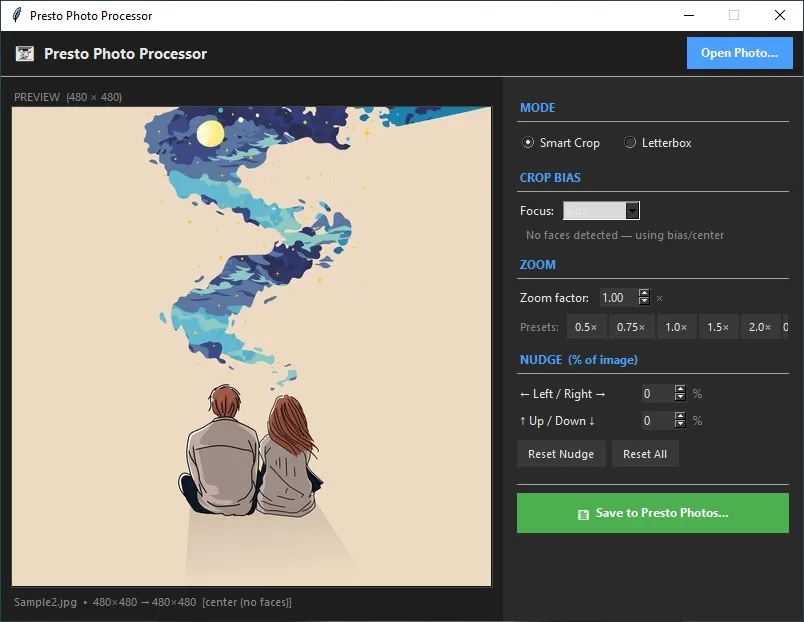
Photos going into the slideshow need to be 480×480 baseline JPEGs before they land on the SD card. I built a small desktop tool to handle this — presto_crop.py is a command-line script that takes any photo, auto-rotates based on EXIF, runs OpenCV face detection to pick a smart crop center, and outputs a device-ready JPEG.
# Face-aware crop (default)
python3 presto_crop.py photo.jpg

# Zoom in 50%, nudge crop 10% right
python3 presto_crop.py photo.jpg --zoom 1.5 --nudge 10,0

# Letterbox — no cropping, bars sampled from image edges
python3 presto_crop.py photo.jpg --padding
The output is always saved with progressive=False, optimize=False — the exact Pillow flags that force baseline JPEG.
Processing 40 photos from the command line gets old fast, so I also wrote a Tkinter GUI (presto_gui.py) with a live 480×480 preview. Adjust zoom, nudge, and crop bias, see the result immediately, save with one click.
The first reveal
I finished V1 and drove to Beth’s place to show her. She was excited. I plugged it in, the slideshow started, it looked good — and then nothing. No message, no LED pulse, no arrival screen. I had hardcoded my and Beth’s home networks during development and had no way to actually discover and connect to any Wi-Fi if the hardcoded connections failed. So, she got a photo frame.
That became the first thing I fixed.
On boot, if the device can’t connect to a known network, it broadcasts an open access point called OffenHerz-Setup and puts the connection instructions on screen.
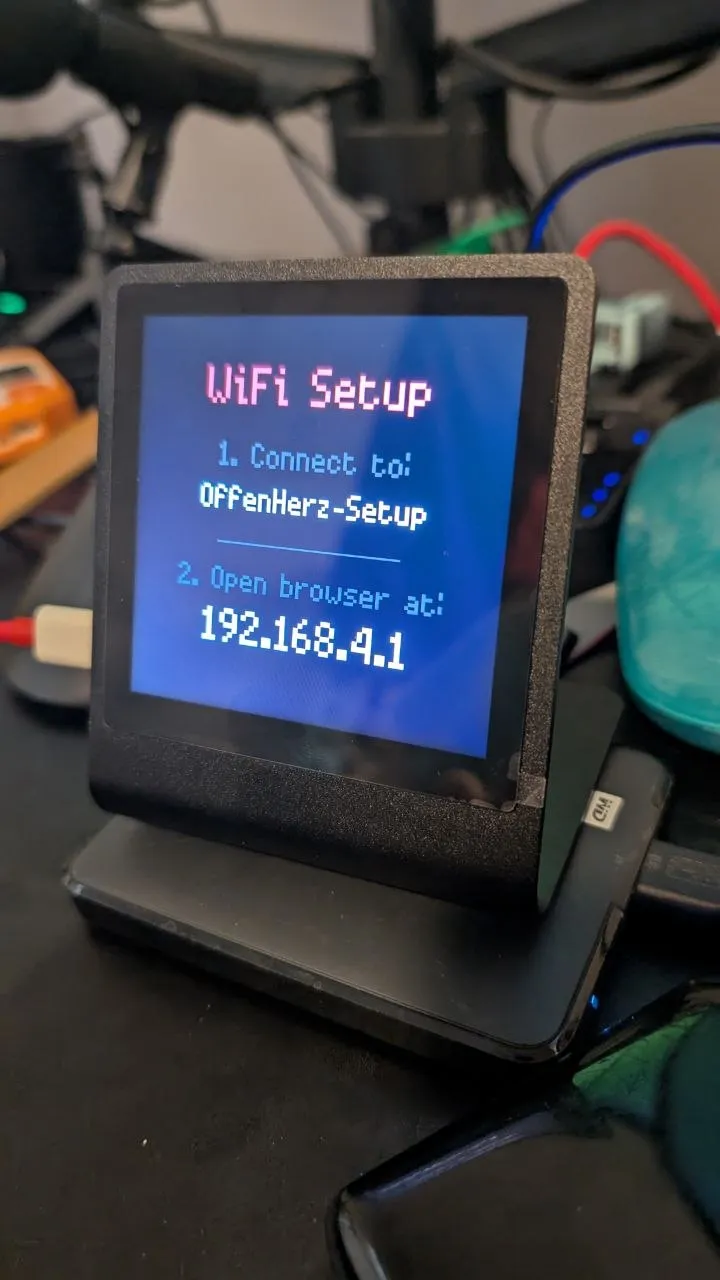
Any phone that connects to that AP gets redirected to a simple credential form — the captive portal mechanic that hotel Wi-Fi login pages use.
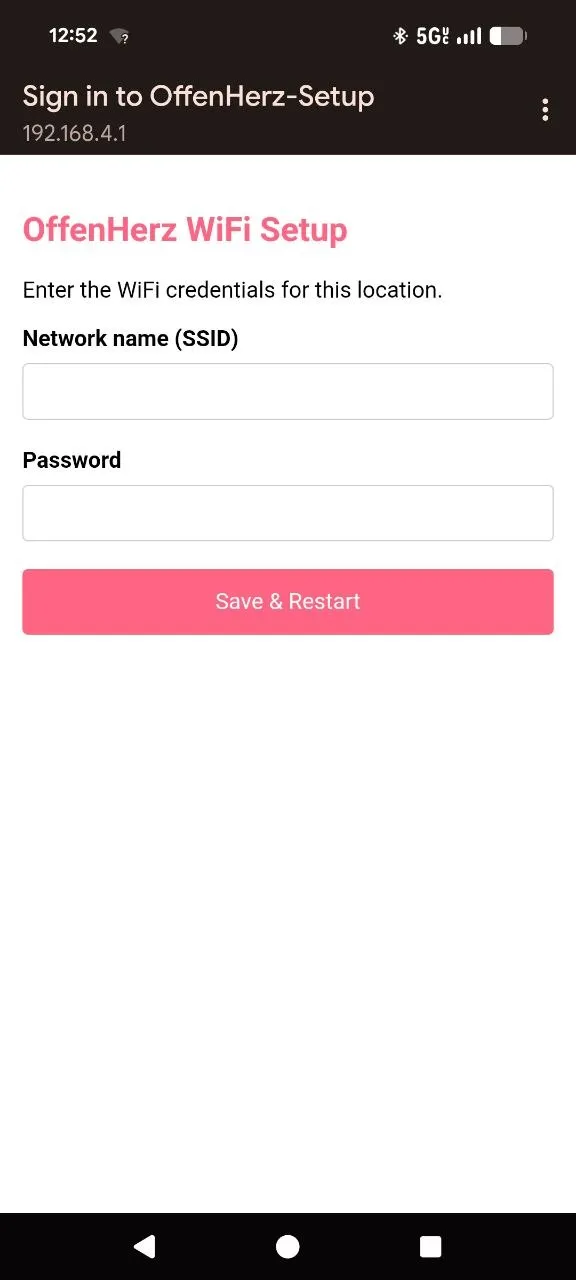
Fill in the network name and password, tap Save & Restart, and the device reboots onto the new network. No USB cable, no laptop, no me physically present. Credentials are saved to the SD card and checked on every subsequent boot, with hardcoded networks as a fallback.
After the Wi-Fi fix was deployed, Beth also asked if she could swipe through the slideshow photos manually. Now she can — swipe left for next, swipe right for previous, with an 80px threshold to filter out taps.
Telegram integration
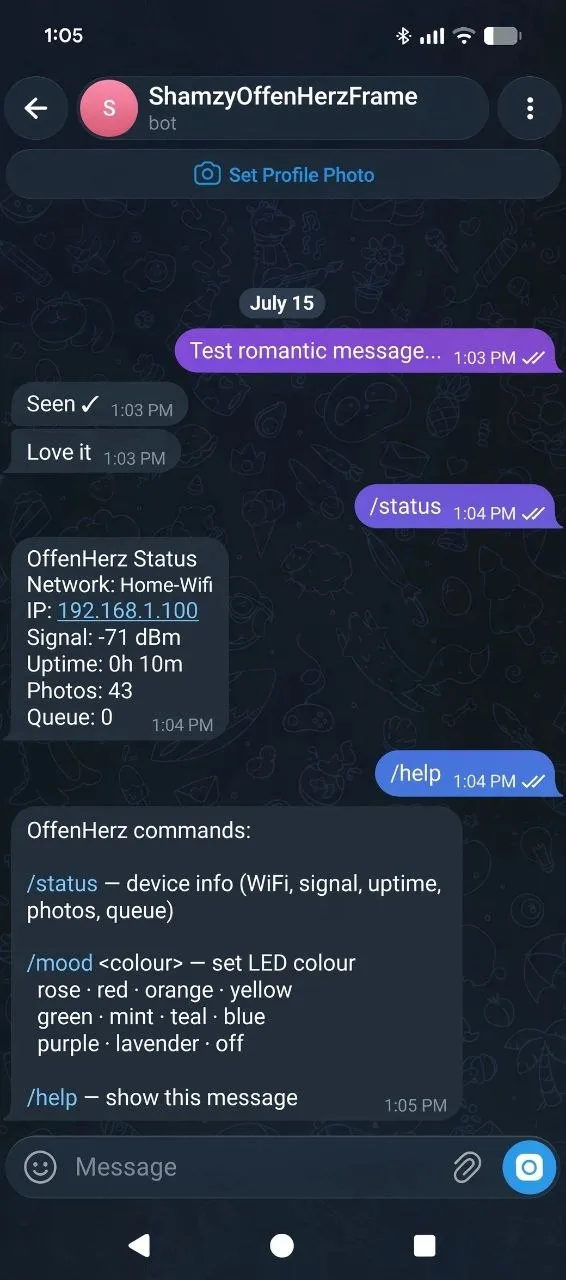
The full message loop looks like this from the Telegram side:
One feature worth calling out: sending a photo with #slide in the caption delivers it as a normal message, but once Beth dismisses it the photo is automatically saved to the SD card and added to the permanent slideshow rotation. No manual file transfer needed — the slideshow grows as you send things.
The device supports a few bot commands in addition to regular messages:
| Command | What it does |
|---|---|
/status | Network, IP, signal strength, uptime, photo count, queue depth |
/mood <colour> | Sets the LED colour — persisted to SD, survives reboots |
/mood off | Clears mood, reverts to default warm amber |
/help | Lists all commands and available colour names |
The /mood command takes one of ten named colours: rose · red · orange · yellow · green · mint · teal · blue · purple · lavender. Idle glow runs at 25% in the selected colour; the arrival pulse breathes from 5% up to 100% and back. The intent is to let the device feel like it belongs in whatever space it’s sitting in, not always blasting the same default amber.
Why open-source matters here
The commercial LoveBox works, and to be fair the core messaging is free. But the purchase process layers on quickly: there’s a subscription upsell for premium templates and message scheduling, a custom engraving add-on, a “buy two” bundle push, and a meaningful catch buried in the details — message history is deleted after 30 days unless you’re paying for Lovebox Everyday ($4.99/mo or $49.99/yr). Color photos are sold as a hardware tier at $169.99, but the $99.99 model can be upgraded to Color & Photo via a one-time in-app purchase — which means it was a software lock all along.
None of it is outrageous in isolation, but together it follows a familiar IoT product arc: the hardware gets you in the door, and the recurring revenue comes from the ecosystem built around it.
The OffenHerz Frame runs on infrastructure you already own. Telegram is already on your phone — no new app, no account, no subscription. Text, photos, GIFs, read receipts, quick replies, a full-color slideshow, remote LED mood control — all of it just works, permanently, because there’s no business model reason to gate any of it. Message history lives in your Telegram chat. The source is on GitHub, so if you want different reply buttons, a different messaging platform, or a drawing tool that exports directly as a slideshow photo — any of that is a few hours of MicroPython, not a feature request to a product team.
What’s still on my improvements list
A few things didn’t make the build but are worth adding:
- NTP time sync — the device has no wall-clock time, which blocks a
/timercountdown command /eodcommand — a manually triggered end-of-day card- Web drawing tool — an HTML5 canvas that exports a 480×480 JPEG directly as a photo message, no device changes needed
The device has been on Beth’s desk since the Wi-Fi fix landed. It does exactly what it was built to do — sits quietly in the background, comes alive when something arrives, goes back to showing photos. That’s the whole idea.
The source is at shamzy001/Offenherz. The photo processor tools are in Utils/ if you want to prep your own slideshow photos before loading the SD card.